Zone the room
Define a work zone with a rug, shelving, or a change in lighting. Zoning helps your brain switch modes and keeps the living area visually calm.

This content supports general education. If you have specific health, ergonomic, or accessibility needs, consider advice from a qualified professional.
A good workspace is a small system, not a single piece of furniture. The most reliable approach is to define the tasks you do most often, then design the environment around those actions. In practice, this means you decide where you sit, what you need within arm’s reach, how light behaves on your screen, and how cables and tools are stored when you are finished. The outcome should feel calm because every item has a place and the area supports a predictable routine.
Modern European interiors often blend work areas into living spaces. That requires visual discipline: consistent materials, limited colors, and concealed storage for work tools. We focus on small, repeatable decisions that make a workspace feel integrated, including warm wood tones for softness, charcoal accents for structure, and neutral backgrounds that reduce visual noise.
Define a work zone with a rug, shelving, or a change in lighting. Zoning helps your brain switch modes and keeps the living area visually calm.
Keep the screen away from direct window reflections, use matte finishes where possible, and aim task lighting so it does not shine into your eyes.
Separate daily essentials, weekly references, and occasional archives. Layered storage prevents clutter while keeping you efficient.
Textiles and soft surfaces reduce echo. Even a small rug or curtain can improve focus and make video calls feel less harsh.
If the workspace is visible from the living area, prioritize concealed storage for cables and paperwork. When the visual noise drops, the whole room feels more intentional and restful.
Use these setups as educational templates. Each one focuses on consistent lighting, controlled clutter, and a clear boundary between work and rest. Adjust measurements to fit your room and daily routine.

Place the desk perpendicular to the window to avoid reflections. Add a task lamp with a shade that hides the bulb from direct view. Use a low-profile cable channel to keep the edge clean.
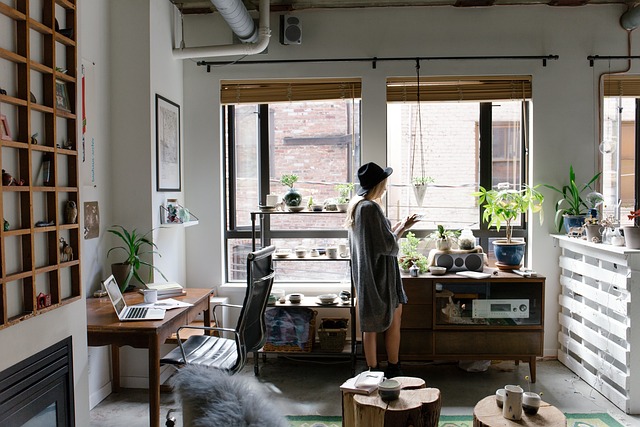
Keep the workspace visually aligned with the room by matching finishes and using closed storage. A shelf grid can hold both books and office items if you keep consistent containers.
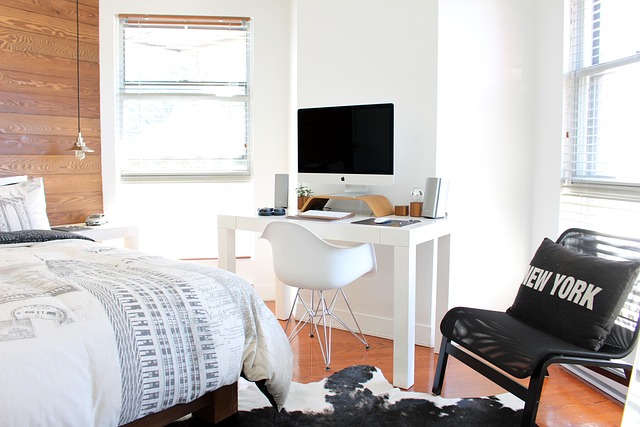
When space is tight, prioritize depth and comfort. A slim desk can work well if you pair it with wall-mounted storage and focused lighting. Keep accessories minimal to avoid crowding.
Workspaces often fail because they rely on one ceiling light. A more comfortable approach uses layers: an ambient background light for overall brightness, a task light aimed at the work surface, and a soft accent light that reduces contrast in the evening. When your eyes do not constantly adjust between bright and dark zones, you tend to feel calmer and more consistent. Our Lighting section explains how to choose placement and brightness in a way that fits typical home routines.
A tidy workspace is not about constant effort. It is about having a short reset routine supported by storage that matches how you actually work. We recommend a three-layer system: the desktop for active work only, a “ready” zone for daily tools, and a “return” zone for items that need to be filed or put away later. This structure keeps surfaces calm without forcing you to be perfect.
Choose containers that match your interior palette to reduce visual fragmentation. Neutral boxes, warm wood trays, and a single charcoal organizer often feel more coherent than mixed colors. If your home is shared, label one small area that is always available for work so the setup does not constantly move.
Use this checklist at the end of the day. It is designed to reduce friction tomorrow by restoring the same starting point.
Keep only active items on the desktop. Move everything else into the ready zone or return zone.
Store chargers in one spot and route cables so they do not cross the work area.
Aim the task lamp and keep a consistent brightness so you start without adjustment.
Write the first task for tomorrow and leave it visible to reduce mental load.
If lighting still feels uncomfortable, revisit the Lighting section and compare ambient light to task light. Many headaches and fatigue issues come from too much contrast rather than low brightness.
Questions we often see from beginners designing a work area inside a modern home. These answers focus on practical decisions you can apply without turning your space into a dedicated office.
Choose a spot that protects circulation first. If possible, keep the desk perpendicular to a window to reduce screen reflections. In shared rooms, align the desk with existing lines of furniture so it looks intentional rather than temporary.
Limit the number of containers and give them clear roles. A tray for daily items, one box for cables, and one folder for papers often solve most clutter. Consistent materials and colors also make storage look quieter.
Use a balanced setup: ambient light for the room and a task light for the desk. For calls, aim for soft frontal light that reduces harsh shadows. Avoid a bright window directly behind you, which can make your face appear darker.
Repeat the same palette and finishes used elsewhere in the room. Use closed storage when possible, and keep accessories intentional. One well-chosen lamp and a single organizer often look more coherent than many small items.
Workspace guidance on this page is for general educational purposes. For electrical changes, permanent installations, or any work that must comply with building or fire safety requirements, consult appropriately qualified professionals. If you experience pain or ongoing discomfort while working, consider professional ergonomic support and adjust your setup gradually.